

Table of Contents
Summary lede: With agents, a single request can fan out into model calls, retrievals, retries, and tool actions that cost far more than the prompt suggests. Here’s how I measure, allocate, and govern that full cost — not just the token line — and tie it to outcomes.
Why read this: It walks through the real cost of an agent workflow, maps it to Microsoft’s three agent surfaces, and sets up the controls before the bill runs away from you.

Figure 1 — Agent FinOps: keeping autonomy on a budget. © Holger Imbery · holgerimbery.blog
Why “Agent FinOps,” and why now
For about a decade, cloud FinOps gave finance and engineering a shared language for variable spend: tag it, allocate it, optimize it. Token pricing stretched that language but kept the anchor — a human prompt, a single response. Agents cut the anchor. One request can set off a plan, several model calls, retrieval, tool actions, retries, and sub-agents, all in seconds and usually finished before the dashboard updates.
A few numbers set the stakes. Industry coverage of the FinOps Foundation’s 2026 State of FinOps report puts inference at about 85% of enterprise AI spend — the cost is in running models, not building them. A May 2026 Microsoft Research study of agentic coding found that models can’t reliably predict their own token usage (self-prediction correlated with actual use at about 0.39), and that the same task can vary by up to 30x in total tokens. Agentic tasks can burn up to 1,000 times more tokens than a simple chat, and agents make an estimated 3–10x more model calls than chatbots for the same user-facing job.
The failure stories are concrete: organizations that spent an annual AI budget in four months, a company that capped AI spend at $200 a week after too many surprises, and a single agent stuck in a reasoning loop that billed about $4,700 of compute in one afternoon before anyone noticed. Around 96% of organizations report AI costs higher than expected once workloads hit production.
What I see in projects is that the surprise is rarely the model itself — it’s everything around it. And as of this summer, the meter starts earlier than it used to: on Copilot Studio, building an agent now draws credits, not just running one. That’s what Agent FinOps is for: measuring, allocating, and governing the full cost of an agent workflow, then tying that cost to a business outcome. On the Microsoft stack, that means spanning three very different meters.
Why agent costs behave differently

Figure 2 — The real cost is below the surface. © Holger Imbery · holgerimbery.blog
The common mistake is to budget for the visible inference line and stop there. In cost reviews, the raw token figure usually lands 40–60% below the real cost of an agentic workload once you count the machinery around it. Four cost centers do the hiding:
| Hidden cost center | Why it escapes the budget |
|---|---|
| Retry & failure recovery | Agents retry on tool errors, rate limits, and validation failures. A 15% step-failure rate with two retries can double the token count — yet most estimates assume zero retries. |
| Embedding & retrieval | Every RAG step adds embedding and search calls. Cheap on their own, they compound across dozens of retrievals per session and land on a different line item. |
| Guardrail & safety calls | Moderation, PII detection, and policy checks are separate model calls — sometimes two or three in sequence — usually owned by a platform team and never billed back to the product. |
| Orchestration & compute | The framework, context store, tool servers, and memory run on compute that scales with session time, not tokens. A 30-minute task runs 30 minutes of infrastructure. |
So the unit that matters is not cost per token but cost per agent session — and, where you can get it, cost per outcome: per ticket resolved, per document reviewed, per invoice exception cleared. That is the number that connects to the P&L, and the one Agent FinOps exists to defend.
The Microsoft agent estate: three surfaces, three meters

Figure 3 — Three surfaces, three separate meters. © Holger Imbery · holgerimbery.blog
Microsoft customers now build and run agents in three places, each with its own cost model. Treating them as one estate — rather than three separate invoices — is most of the job.
| Surface | Cost unit | How you pay | Primary controls |
|---|---|---|---|
| Copilot Studio | Copilot Credits (≈ $0.01) | Pay-as-you-go, prepaid credit packs, or annual prepurchase | Power Platform admin center: per-environment and per-agent caps |
| Microsoft Foundry Agent Service | Model tokens + tool & compute charges | Pay-as-you-go, provisioned throughput, batch, or Agent Commit Units | Azure Cost Management: budgets, quotas, token-per-minute limits, tags |
| Copilot Cowork | Copilot Credits ($0.01) | Pay-as-you-go or prepaid P3 volume plan | Off by default; tenant / group / user budgets, alerts, usage reports |
Copilot Studio — the Copilot Credit meter
Copilot Studio meters agents in Copilot Credits, the common currency Microsoft adopted when it renamed the earlier “messages” unit on 1 September 2025. Each credit is worth about one US cent, and how many you spend depends on what the agent does, not how many words it writes. The published rates make the gradient clear:
| Agent activity | Copilot Credits | M365 Copilot licensed user |
|---|---|---|
| Classic (authored) answer | 1 | Included |
| Generative answer | 2 | Included |
| Agent action | 5 | Included |
| Tenant Graph grounding (per response) | 10 | Included |
| Agent flow actions (per 100) | 13 | Included |
| Content processing (per page) | 8 | Included |
| Premium AI tools (per 10 responses) | 100 | Included |
Two design facts drive most of the bill. First, grounding costs about ten times a plain reply: a tenant-Graph-grounded response bills at 10 credits against 1 for a classic answer, so an agent that reaches into SharePoint or Exchange on every turn costs roughly ten times a simple chatbot. On its own, that single factor moved a pilot’s projected cost more than any model choice did. Second, autonomy adds up quietly — Microsoft’s own guidance notes an agent with deep reasoning and autonomous triggers can use up to 100 credits (about $1) per 10 auto-triggered interactions, roughly $0.10 each with no human in the loop.
Usage by people already licensed for Microsoft 365 Copilot is included at no extra charge, which turns “how much per message?” into “credits or licenses?” For everyone else, there are three ways to buy: pay-as-you-go at $0.01 per credit through an Azure subscription; prepaid packs (for example, 25,000 credits for $200 a month — an effective $0.008 per credit, about 20% below pay-as-you-go); and an annual prepurchase of Copilot Credit Commit Units usable across eligible products. Bring-your-own models, including Azure Foundry models, are billed separately.
There’s a third fact that changed the math this year, and it’s easy to miss. The August 2026 licensing guide moves the meter upstream: the LLM-powered maker actions you use while building — natural-language authoring, evaluation, and preview — now draw Copilot Credits. Only manual, non-LLM configuration stays free. In other words, the cost clock can start before a single user ever talks to the agent. Publishing itself is still free; it’s the act of designing with AI that now bills.
How much building costs depends on the harness — the scaffolding that lets an agent plan, reason, hold context, and call tools. Copilot Studio ships three, and they meter differently:
| Harness | What it’s for | When credits are consumed |
|---|---|---|
| Copilot Chat | Customize Microsoft 365 Copilot with your own knowledge — e.g. an onboarding agent answering from SharePoint | LLM-powered build actions draw credits; employee-facing runtime in Microsoft channels is included in the Microsoft 365 Copilot license, under the user’s identity and fair-use limits |
| Standard | Rule-based conversational agents with predefined topics and flows — e.g. an IT agent routing laptop requests through approval | Same as Copilot Chat: LLM-powered build actions draw credits; employee-facing Microsoft-channel runtime is license-included |
| GitHub Copilot | Agentic, end-to-end process automation — e.g. an accounts-payable agent that reads invoices, matches purchase orders, and routes exceptions | Credits during creation and runtime — the runtime is not zero-rated by the license |
The takeaway for FinOps is that “building” is no longer a free, pre-production zone. The GitHub Copilot harness — the one you reach for exactly when the work is most autonomous and most valuable — bills you to build it and bills you to run it, license or no license. The old mental model, where cost only showed up once real users arrived, is gone. Budget the build, not just the run.
Microsoft Foundry Agent Service — tokens, tools, and reserved capacity
Where Copilot Studio hides cost inside a single credit, Foundry Agent Service exposes the underlying resources directly — the code-first path developers want. There’s no charge for creating or running a Foundry-native agent itself; you pay for what it consumes:
| Component | How it is billed |
|---|---|
| Model inference | Foundry Models token consumption — input and output priced separately, output typically 4–8x the input rate. |
| File Search (knowledge) | $0.11 per GB of vector storage per day (first 1 GB free). |
| Code Interpreter | $0.033 per session. |
| Web Search / Custom Search | $14 per 1,000 transactions. |
| Hosted agents (Agent Framework, LangGraph) | Billed on the underlying container compute per hour. |
| Tools, Fabric, SharePoint, Bing grounding, Foundry IQ | Separate charges and licenses, on top of tokens. |
Because the meter is granular, real bills routinely run 15–40% above a token-only estimate once Azure AI Search, fine-tuned-model hosting, and monitoring are added. The biggest lever is picking the right deployment type per workload:
- Standard (pay-per-token) — no idle cost, scales with usage. The default for development, spiky traffic, and anything still being validated.
- Provisioned Throughput (PTU-hour) — reserved model capacity billed hourly whether or not a request comes in. Predictable performance and lower effective cost for steady, high, latency-sensitive production.
- Batch — large asynchronous jobs at roughly 50% off standard, with a 24-hour target turnaround. Underused, and the biggest single discount for summarization or bulk classification.
- Priority processing — pay-per-token at a premium for lower, more consistent latency where it genuinely matters.
The expensive mistakes are mismatches. Provision PTUs for a workload that only spikes a few hours a day and you pay around the clock for part-time capacity; run a high-volume production app on pay-as-you-go and you invite variable cost and rate limits at the worst moment. PTU capacity can’t be paused — billing stops only when you delete the deployment — so sizing it correctly (Microsoft ships a capacity calculator) is the core of provisioned cost optimization. For committed, predictable volume, Agent Commit Units apply a 5% discount at entry tiers and up to 15% at higher volumes across tokens, storage, search, and compute.
Copilot Cowork — delegated work behind a meter
Cowork is the newest surface and, for FinOps, the most instructive. Released worldwide on 16 June 2026 for eligible Microsoft 365 Copilot customers, it takes on long-running, multi-tool work and returns a finished result rather than a draft — scheduled tasks run in the cloud whether or not a laptop is open, with the Microsoft Graph connection keeping governance in the task flow.
Autonomy here comes with a meter. Each task consumes Copilot Credits based on model use, retrieved context, tool calls, and runtime — the same four drivers that make agentic spend hard to forecast, now rolled into one variable charge. Credits are $0.01 each under pay-as-you-go, with a prepaid P3 volume plan available; customers in Microsoft’s Frontier early-access program got a grace period before charges began.
What makes Cowork a useful template rather than a liability is its governance posture: it’s off by default, and admins can restrict access and set budgets, alerts, and usage reports at tenant, group, and user levels. (Microsoft’s claim that more than half the Fortune 500 used the preview is its own figure and isn’t independently corroborated.) The lesson holds beyond Cowork: delegating more work saves time but creates a variable charge someone has to own.
A unified Agent FinOps operating model

Figure 4 — Visibility, accountability, optimization. © Holger Imbery · holgerimbery.blog
Cloud FinOps rests on three practices — visibility, accountability, and optimization. Agent FinOps keeps the structure but changes the attribution logic, because the unit of cost is a whole workflow, not a single call. Here’s how each practice maps onto the Microsoft controls above.
Visibility — measure the full workflow
- Tag every agent session at the orchestration layer with product, feature, user tier, and session ID — the equivalent of tagging cloud resources. Without it, spend is one undifferentiated number.
- Budget seven lines, not one: model calls, retrieval, tool calls, cloud/orchestration, observability, human review, and failure/retry. The token line is the visible bill, rarely the whole bill.
- Use the native meters: the Copilot Studio usage estimator and Power Platform analytics, Azure Cost Management dashboards and Foundry’s OpenTelemetry tracing, and Cowork’s tenant/group/user usage reports.
Accountability — give every workflow a cost owner
- Cap at the right altitude: per-environment and per-agent limits in Copilot Studio; budgets, quotas, and token-per-minute limits per deployment in Foundry; tenant/group/user budgets in Cowork.
- Alert before, not after: fire warnings at 70% and 90% of budget, not at 100% — when the capacity is already gone and users hit an “agent unavailable” error.
- Name an owner per workflow, the way each team owns an Azure budget, so what reads as “innovation” to a product team never reads as uncontrolled burn to finance.
Optimization — reduce cost without blocking velocity
- Match the model to the job. Routing to a frontier model when a small one delivers the same quality can be a 100x+ multiplier for zero added value.
- Match the workload to the deployment. Move bulk, non-urgent work to Batch; reserve PTUs for steady, latency-critical paths; keep dev and spillover on pay-as-you-go.
- Prune the inputs. Trim system prompts, compress retrieved context, cache aggressively, and bound retries — input tokens drive most agentic cost.
- Stage the autonomy. Move through observe → advise → act-with-approval → act-autonomously, granting full autonomy only where monitoring, rollback, and accountability are strong enough. Every checkpoint you remove is one that could have caught a runaway loop.
A practical playbook
Before you deploy:
- Define the workflow as a product unit — trigger, expected output, value signal, cost ceiling, human-review rule, and stop condition — before it reaches production.
- Estimate consumption in a pilot. Use the Copilot Studio usage estimator or the Foundry capacity calculator, and treat the result as an informed starting point, not a guarantee.
- Decide credits vs. licenses. If a cohort will lean heavily on agents, a Microsoft 365 Copilot license that zero-rates employee-facing usage may beat metered credits — and sometimes the reverse is true.
- Turn on caps and alerts from day one. Keep Cowork and new agents scoped, off, or budget-limited until you’ve watched real usage.
In production:
- Review cost per outcome weekly, not just total spend. A rising cost-per-ticket is the earliest sign a workflow is drifting.
- Watch the hidden lines — retries, retrieval, guardrails, long-running sessions — not only the token meter.
- Re-tier and re-deploy quarterly as models and prices change; Foundry pricing in particular moves fast.
- Escalate autonomy only after the monitoring and rollback around a workflow have proven themselves.
Metrics that matter
| Metric | What it tells you |
|---|---|
| Cost per outcome | The P&L-relevant unit — per resolved ticket, reviewed document, or cleared exception. Hardest to get, most important. |
| Cost per agent session | The true unit of agentic spend, capturing the retries, retrieval, and runtime that per-token views miss. |
| Cost per token / per inference | Useful diagnostics for model and prompt efficiency — never the whole story. |
| Retry & failure rate | A direct driver of hidden cost; small defects become recurring spend when retries are unbounded. |
| Budget burn vs. forecast | Tracked per environment, agent, and team, with alerts well before 100%. |
| Autonomy level | How much spend runs without a human checkpoint — the risk multiplier behind every other metric. |
Is there a single pane of glass?
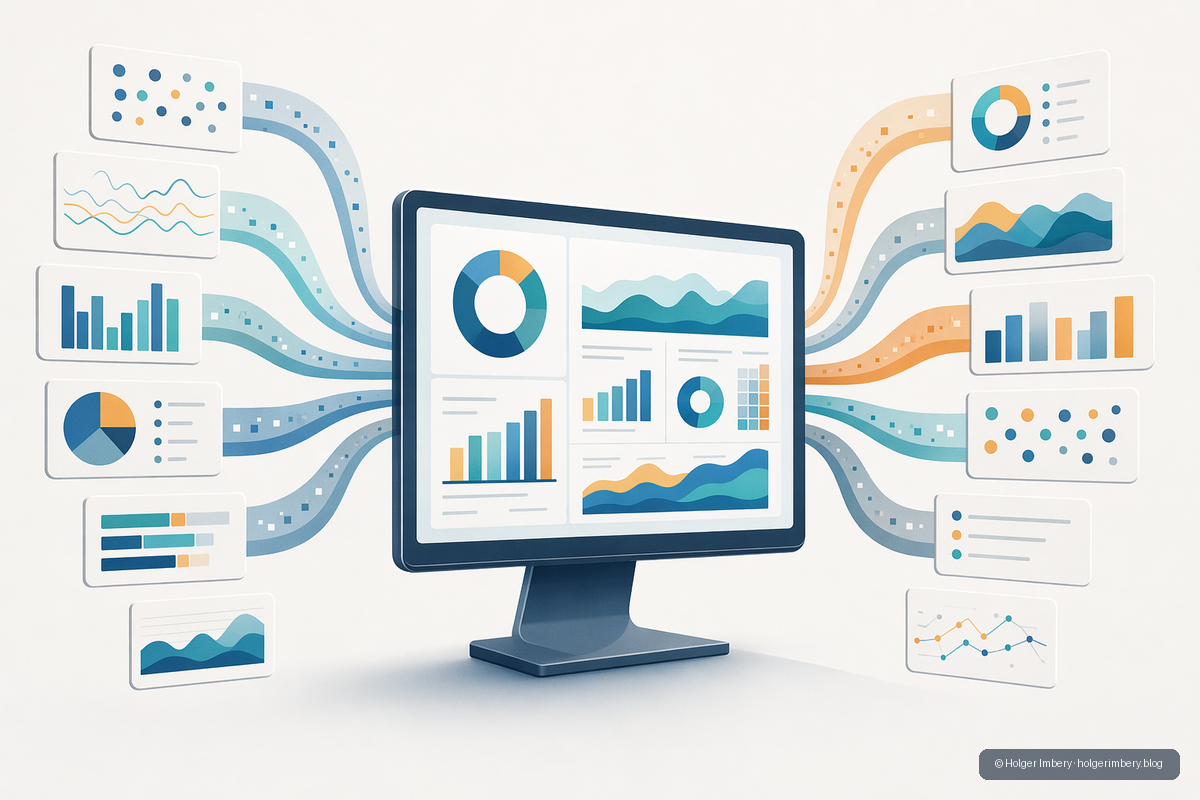
Figure 5 — Toward a single pane of glass. © Holger Imbery · holgerimbery.blog
Not yet — no single native screen spans all three surfaces. Microsoft is converging on one, and there’s a clear “closest thing” at each layer.
On the Copilot side, the designated single pane of glass is the Copilot Control System (CCS), surfaced in the Microsoft 365 admin center and built on three pillars: security and governance, management controls, and measurement and reporting. A lifecycle Agent Cost Management approach sits on top of it — estimate, set up billing, track and forecast, then actively control. Because Copilot Studio and Cowork both meter in Copilot Credits, CCS with the Power Platform admin center covers both: per-user and per-agent consumption reports, real-time high-consumption alerts, historical trends, per-user and per-agent limits, departmental chargeback, and the Agent Usage Estimator for forecasting before deployment.
Where it stops being unified is Foundry. Foundry bills through Azure — tokens, tools, and compute — so its cost lives in Azure Cost Management, a separate plane. CCS integrates with Azure Cost Management for deeper analysis, but you’re still crossing two portals.
| Layer | Single-pane candidate | What it covers |
|---|---|---|
| Copilot Studio + Cowork | Copilot Control System + Power Platform admin center | Credits, per-agent/per-user usage, limits, alerts, chargeback |
| Foundry | Azure Cost Management | Tokens, tools, PTU / compute |
| Everything, normalized | FinOps toolkit → FinOps hubs (FOCUS) | Azure + Microsoft 365 + other-cloud cost and usage in one store |
For a true view across everything, the practitioner path is Microsoft’s open-source FinOps toolkit — specifically FinOps hubs, which normalize cost and usage through the FOCUS standard (FinOps Open Cost and Usage Specification) into a single Data Explorer or Power BI store, and can even be queried by an AI agent. Commercial FinOps platforms offer the same consolidation. The thread to watch is Copilot Credits becoming the common currency across the Copilot estate — though it does not yet fold the Azure-billed Foundry side into the same screen.
The bottom line
Agents change the economics of software from a seat you buy to a meter that runs. Copilot Studio, Microsoft Foundry, and Cowork each expose that meter differently — a credit, a token-and-compute stack, a delegated-work charge — but the discipline is the same: measure the full workflow, give every agent a cost owner and a ceiling, tie spend to outcomes, and grant autonomy only as fast as your controls can keep up.
The teams that build this layer early — while their agent estates are still small — treat it as an engineering routine. The ones that defer meet it later as a board conversation about a bill nobody forecast, when the spend is large, the patterns are entrenched, and the only lever left is cutting features instead of cost. The tools already exist; it’s mostly a matter of turning them on before you need them.
Sources
- Microsoft Copilot Studio — Billing and licensing — https://learn.microsoft.com/en-us/microsoft-copilot-studio/billing-licensing
- Microsoft Copilot Studio — Billing rates and management — https://learn.microsoft.com/en-us/microsoft-copilot-studio/requirements-messages-management
- Microsoft Copilot Studio Licensing Guide — August 2026 (harnesses; build-time credit consumption)
- Microsoft Azure — Foundry Agent Service pricing — https://azure.microsoft.com/en-us/pricing/details/foundry-agent-service/
- Microsoft Learn — Provisioned throughput billing and cost management — https://learn.microsoft.com/en-us/azure/foundry/openai/concepts/provisioned-throughput-billing
- WinBuzzer — Microsoft’s Copilot Cowork is Now a Metered Agent Consuming Credits (Jul 2026) — https://winbuzzer.com/2026/07/20/microsoft-made-copilot-cowork-a-metered-agent-in-june-xcxwbn/
- TechRepublic — AI Agent Cloud Costs Are Making Enterprise Budgets Harder to Predict (Jul 2026) — https://www.techrepublic.com/article/news-ai-agent-cloud-costs/
- Institute of AI PM — Agentic FinOps: How to Govern AI Agent Costs (Jun 2026) — https://www.institutepm.com/knowledge-hub/agentic-finops-guide
- CIO — 5 ways for CIOs to avoid AI bill shock (Jul 2026) — https://www.cio.com/article/4190605/5-ways-for-cios-to-avoid-ai-bill-shock.html
- Microsoft — Take Control of Agent Costs (Power Platform Blog, Jul 2025) — https://www.microsoft.com/en-us/power-platform/blog/2025/07/21/agent-costs-controls/
- Microsoft Learn — Copilot Control System management controls — https://learn.microsoft.com/en-us/microsoft-365/copilot/copilot-control-system/management-controls
- Microsoft Learn — Configure AI agents for FinOps hubs — https://learn.microsoft.com/en-us/cloud-computing/finops/toolkit/hubs/configure-ai


