
Table of Contents
- Why agent testing is different (and non‑optional) in Copilot Studio
- The testing toolbox at a glance
- Phase-4 testing (detailed guidance and checklist)
- Implementing automated testing with Copilot Studio Kit
- Governance: beyond the build—compliance, environments, and monitoring
- Anti-patterns: why “chat a bit and publish” fails
- Practical checklist for Phase-4 testing and deployment
- Conclusion
Summary Lede
Shipping Copilot Studio agents without systematic, automated testing is risky: large language models (LLMs) are non‑deterministic, topic routing can drift, and integrations fail in ways casual “chat tests” won’t catch. Microsoft’s Copilot Studio Kit adds structured, repeatable testing (including multi‑turn and generative answer validation), integrates with Power Platform pipelines for gated deployments, and provides analytics and compliance tooling—so you can test as software teams do and ship with confidence.
Why Read This Article: AI agents powered by LLMs are unpredictable by nature. Casual testing—clicking through a chat interface a few times—is not enough to catch latent quality issues, topic confusion, or integration failures that emerge under real-world conditions. This guide walks you through a comprehensive, systematic approach to testing Copilot Studio agents that mirrors enterprise software practices: from defining repeatable test cases with the Copilot Studio Kit, to embedding quality gates in your deployment pipelines, to monitoring compliance and performance post-launch. If you are shipping agents to production—or planning to do so—you need structured, auditable testing to reduce risk and build stakeholder confidence.
Why agent testing is different (and non‑optional) in Copilot Studio
Conversational agents in Copilot Studio operate under fundamentally different constraints than traditional software. Where conventional applications follow deterministic code paths and produce consistent output for given inputs, conversational agents integrate multiple layers: natural language processing, topic routing, prompt-based reasoning, and knowledge retrieval across enterprise systems. This architectural difference creates testing challenges that cannot be addressed by conventional unit testing or ad hoc verification approaches.
The non-deterministic nature of these systems stems from several sources. Large language models (LLMs) introduce inherent variability in response generation even when given identical inputs. Topic routing may inconsistently classify user intents, particularly for edge cases or ambiguous queries. Knowledge retrieval systems may return different result sets depending on index state, search ranking, or temporal data updates. When agents compose multiple actions—such as querying multiple data sources, applying filters, and synthesizing responses—the combinations of these variations compound, making manual testing insufficient to validate behavior across the full range of user interactions.
Microsoft’s published guidance emphasizes that this variability necessitates systematic, large-scale evaluation rather than point-in-time chat testing. A developer might test an agent through a few interactive sessions and conclude it functions correctly based on limited exposure. However, when the agent encounters hundreds or thousands of real-world queries—including paraphrased variations, context-dependent follow-ups, and edge cases—latent quality issues, topic confusion, and integration failures emerge. Automated testing frameworks assess correctness and performance across representative input sets, providing measurable confidence in agent behavior.
It is important to note that while automated evaluation effectively identifies accuracy and performance issues, Microsoft explicitly documents that this approach cannot replace responsible AI reviews or the safety filters built into governance processes. Automated testing validates the agent’s logical correctness and consistency, but human review remains essential for assessing potential harms, compliance with organizational policies, and alignment with responsible AI principles. These complementary activities must both occur during the release process.
The testing toolbox at a glance
Copilot Studio Kit (Power CAT)
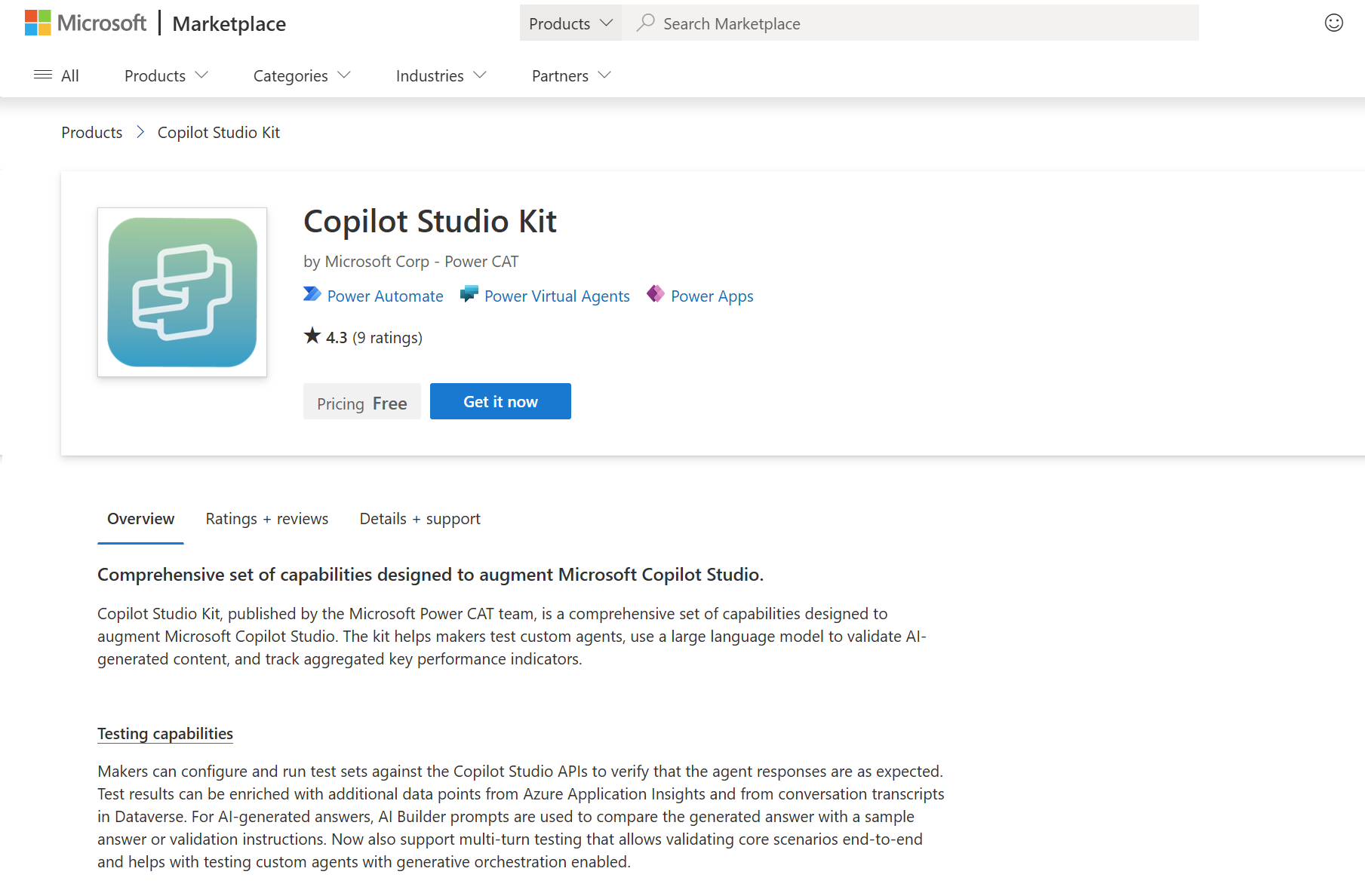
The Copilot Studio Kit is an open‑source, solution‑aware extension that adds a formal testing and analysis layer to Copilot Studio. At its core, the Kit lets you define agents, tests, and test sets and then run batch tests against your agent through the Direct Line API. Results are not limited to raw strings; they can be enriched with Dataverse conversation transcripts (to expose the exact triggered topic and intent scores) and Azure Application Insights (for telemetry and failure diagnostics). The Kit supports deterministic checks (e.g., response matching and Attachment comparisons) as well as LLM-assisted validation for Generative answers using AI Builder—a critical capability when answers are non-deterministic. For complex scenarios, you can compose multi‑turn tests to validate end‑to‑end flows in a single conversation context, and use plan validation to ensure that agents with generative orchestration select the expected tools/actions above a configured threshold. In enterprise rollouts, the Kit’s managed solution model, Excel import/export for bulk test authoring, and optional Compliance Hub significantly shorten the path to repeatable, auditable test evidence.
When to use:
- You need scalable, repeatable test execution with artifacts you can retain and trend over time.
- You must validate both deterministic paths (topic routing, attachments) and non‑deterministic LLM outputs (generative answers).
- You want to instrument tests with Dataverse and Application Insights to explain why a test passed/failed.
Agent evaluation (in‑product, preview)
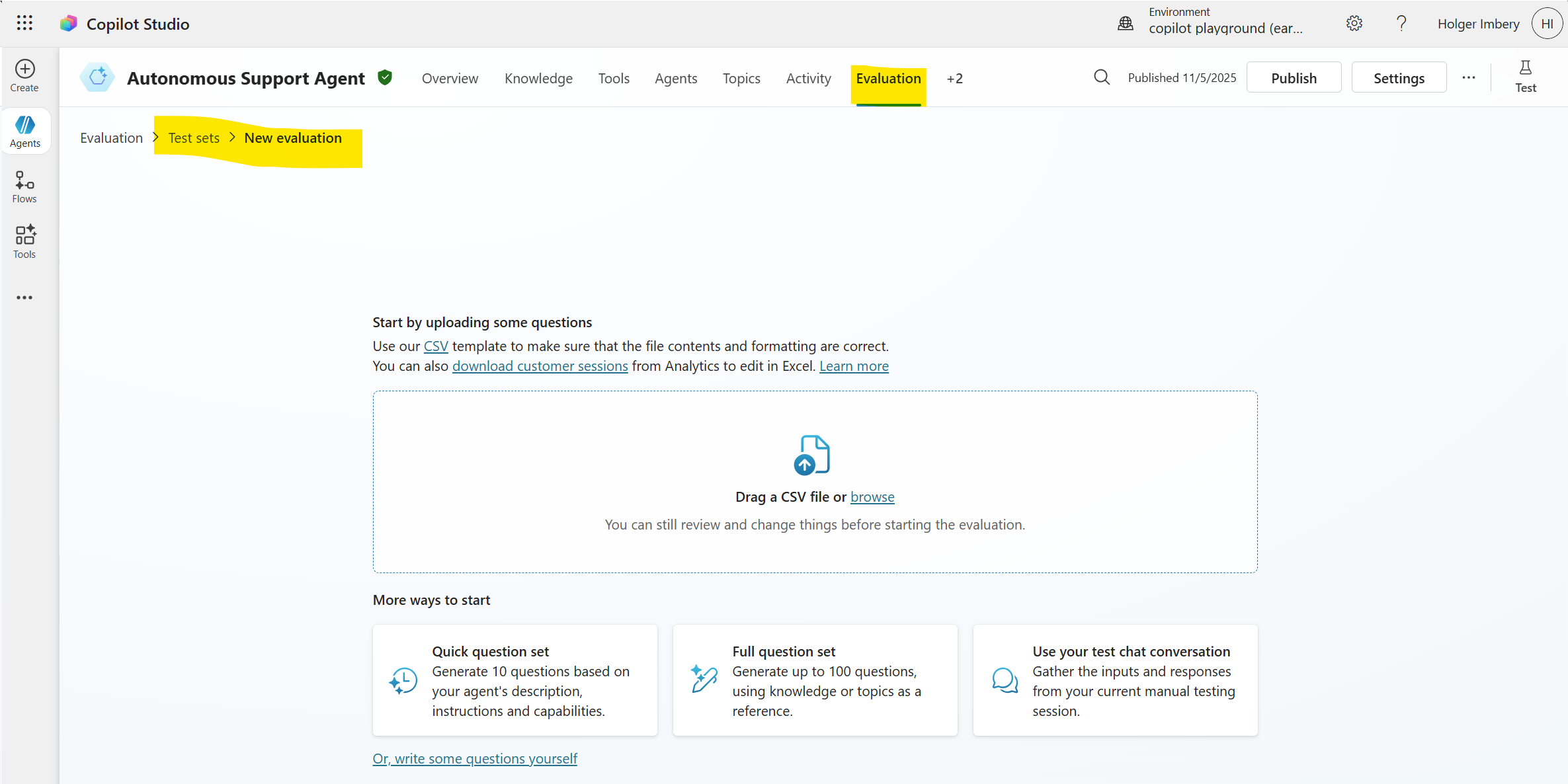
Agent evaluation is a built-in preview feature of Copilot Studio that lets you author or generate test sets and run automated evaluations directly in the product. It is designed to measure answer quality and coverage at scale and can generate tests from your agent’s topics/knowledge or import them from a file. Evaluations are executed with a designated test user profile, which is essential when tools and knowledge sources require authentication. Because this feature is in preview, treat it as a complementary capability to the Kit: use it for fast, in-product evaluations and keep the Kit’s runs and exports for long-term retention and pipeline gating.
When to use:
- Early iterative cycles where makers want quick, in‑canvas evaluation runs.
- Seeding a broader test corpus by auto‑generating questions from topics/knowledge, then curating.
- Validating that a specific test identity can access the same tools/knowledge as target users.
Power Platform pipelines
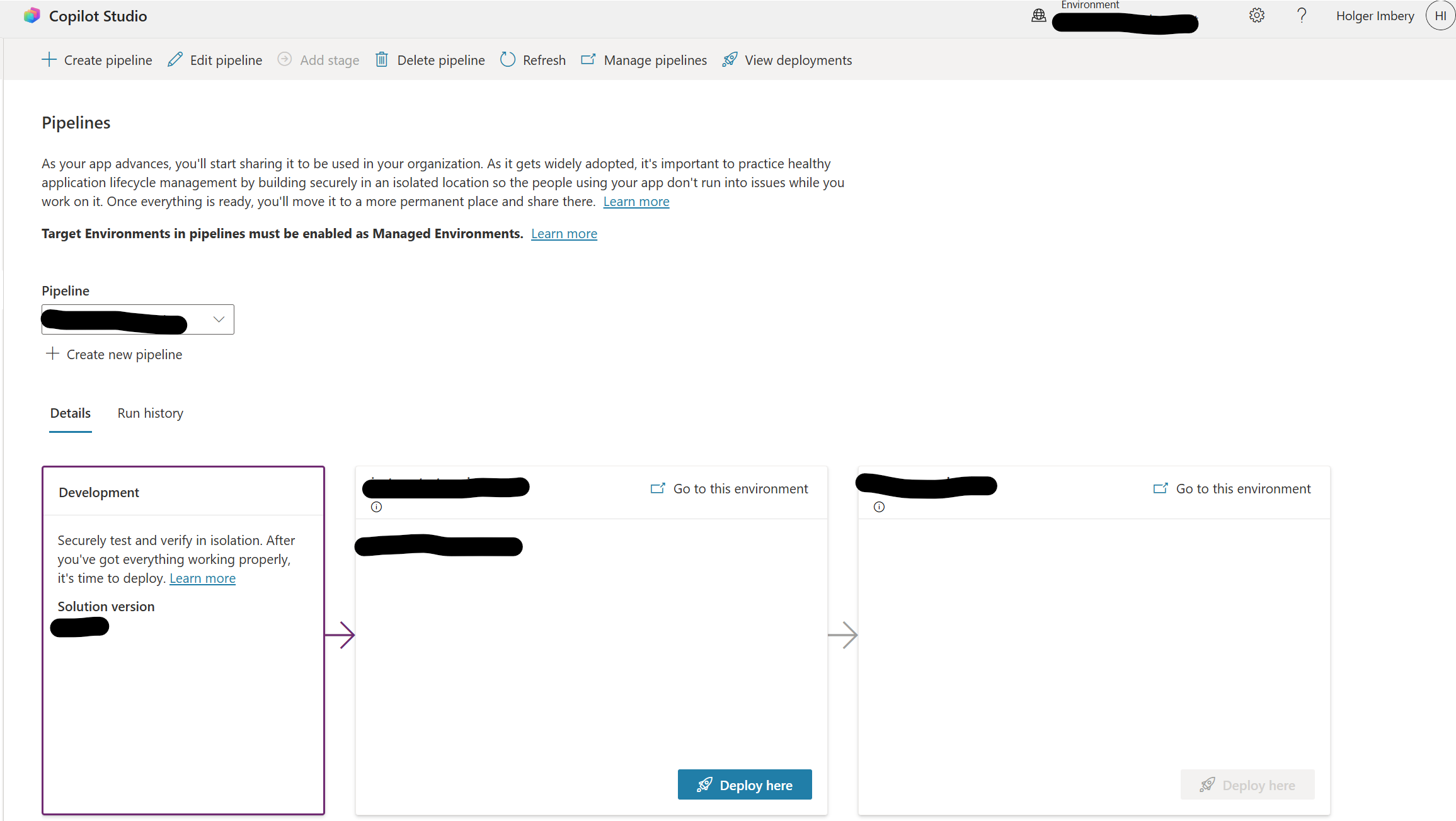
Power Platform pipelines provide the native ALM path to move solution-packaged agents across Dev → Test → Prod with approvals, audit trails, and environment isolation. Critically, pipelines can be extended to run Copilot Studio Kit tests as a pre-deployment quality gate: the deployment is paused, tests execute, results are evaluated against pass thresholds, and only then does the pipeline promote to the next stage. This pattern converts “publish from dev” into a governed release with repeatable validation, versioning, and rollback via managed solutions. In practice, you configure a pipeline host environment, wire cloud flows + Dataverse events to call the Kit’s test runner, and enforce gate criteria before production.
When to use:
- Any production‑bound agent; manual promotion without a gate is a risk.
- Teams that need approvals, traceability, and the ability to block a release on failed tests.
- Organizations standardizing on solution‑based ALM across Power Platform assets.
Direct Line performance testing
Functional correctness is not sufficient if the agent cannot meet performance objectives. Microsoft’s guidance documents how to load and performance-test Copilot Studio agents using Direct Line over WebSockets (preferred for realistic behavior) or HTTP GET polling when WebSockets are not feasible. Test harnesses should track response times at the stages that affect user experience: Generate Token, Start Conversation, Send Activity, and Receive/Get Activities. These measurements, collected under realistic concurrency and payload conditions, enable you to baseline and detect regressions as topics, tools, and knowledge sources evolve.
When to use:
- Before go‑live and on every significant change to prompts, tools, or knowledge that could affect latency.
- When you must validate SLA adherence (for example, first token and full‑response times).
CoE & Compliance
Testing is part of a broader governance and compliance posture. Microsoft’s Phase 4 guidance emphasizes structured testing, deployment, and launch practices, including final security and compliance checks, telemetry enablement, and controlled rollout. The Copilot Studio Kit’s Compliance Hub complements this by continuously evaluating agent configurations captured via Agent Inventory against configurable thresholds, creating compliance cases, and supporting SLA-driven triage (manual review, quarantine, or delete). Together with Managed Environments, DLP policies, and CoE Starter Kit telemetry, these controls provide continuous post-deployment oversight of agents, reducing configuration drift and helping teams keep production behavior within approved boundaries.
When to use:
- Organization‑wide programs where multiple business units ship agents and you need consistent review and enforcement.
- Environments with strict regulatory or data‑handling requirements that require continuous configuration posture checks.
Use the Copilot Studio Kit for structured, repeatable tests (including multi-turn, generative-answer validation, enrichment, and exports). Use Agent evaluation (preview) for in-product, fast iteration. Enforce release quality with Power Platform pipelines by gating promotion on automated test results. Validate scalability and user-perceived latency with Direct Line performance testing. Finally, operate agents within a governed framework using Phase-4 practices and Compliance Hub to maintain compliance and configuration integrity over time.
Phase-4 testing (detailed guidance and checklist)
Phase 4 refers to Microsoft’s “Testing, deployment, and launch” stage in the Copilot Studio governance and security best-practices sequence. It defines what must happen after build-time design and before (and immediately after) a production release. In practical terms, Phase 4 defines the quality gates, security checks, controlled rollout, and post-release monitoring you should apply to every Copilot Studio agent before it serves real users.
Below is a concise, implementation-oriented summary of Phase 4 practices and their execution.
Testing and validation
Goal: Prove the agent’s functional behavior and non‑deterministic answer quality with repeatable, automated tests—not manual chats.
- Automated scenario testing: Use the Copilot Studio Kit to define tests and test sets (response/attachment/topic/generative, including multi-turn and plan validation) and run batches against the agent. Enrich results with Dataverse transcripts and Application Insights for root-cause analysis.
- CI/CD readiness: Maintain test artifacts and runs as part of your release process. Microsoft’s Phase 4 guidance explicitly recommends automated testing and evaluation as a prerequisite for deployment.
- Quality gates in pipelines: Integrate Kit test runs into Power Platform pipelines so a deployment pauses, executes tests, evaluates pass thresholds, and only then promotes to the next stage. This delivers an auditable “test-before-deploy” control.
Final security and compliance checks
Goal: Ensure the production environment enforces the right data and access boundaries and that all Azure resources are approved.
- Data policies and RBAC: Verify environment-level policies (e.g., DLP), role assignments, and connection security in the production environment—not just in Dev/Test. This prevents accidental connector drift at go-live.
- Azure resource review: Confirm approvals for app registrations, networks, keys, and endpoints associated with the agent’s external dependencies. Use secure secret storage and rotate keys.
- Production knowledge sources: Point the agent to the production document libraries and data sets (many teams test with separate SharePoint paths or sample data; Phase 4 requires verification of the production bindings).
Controlled production rollout
Goal: Promote a versioned, solution‑packaged agent to production via ALM—not via ad‑hoc publish.
- Deploy via pipelines: Package the agent in a Power Platform solution and promote Dev → Test → Prod with approvals, audit trail, and environment isolation. This is the supported, governed path for Copilot Studio.
- Pre-deployment steps: In the pipeline, add hooks to run Kit tests and evaluate pass rates as a quality gate before import into the target environment.
- Launch plan: Communicate availability and usage guidance to the intended audience and stakeholders as part of the release checklist.
Enable monitoring and ongoing governance
Goal: Operate the agent as a managed service with telemetry, compliance posture tracking, and corrective workflows.
- Telemetry: Configure Azure Application Insights for usage, performance, and error logging. This supports regression detection and incident response after go‑live.
- Compliance operations: Use the Copilot Studio Kit’s Compliance Hub to continuously evaluate agent configurations against policy thresholds, raise review cases, and track SLA‑bound remediation (review, quarantine, delete).
- CoE integration: Leverage the Power Platform CoE Starter Kit to inventory agents, watch adoption/health signals, and maintain platform‑wide governance routines.
Why Phase 4 matters
Phase 4 formalizes the last mile from “it works in development” to “it is safe to expose to users.” It replaces manual spot checks and one‑click publishing with automated validation, governed deployment, and observable operations—the baseline expected of enterprise‑grade AI agents. By following Phase 4 practices, teams reduce the risk of production incidents, data leaks, and compliance violations. They gain confidence that agents behave as intended under real‑world conditions and that any deviations are detected and addressed promptly. Ultimately, Phase 4 transforms Copilot Studio agents from experimental prototypes into reliable, governed components within the organizational AI landscape.
Test strategy for low‑code/no‑code agents
Test types you should plan for:
- Conversational/functional (does the response match expectations for known intents?) – Use Kit’s Response match and Topic match.
- Generative answer validation (LLM output quality and guardrails) – Use AI Builder-based Generative answers with Application Insights context.
- End-to-end scenarios across multiple turns and tools – Use Multi-turn and Plan validation for generative orchestration to ensure the plan contains the expected tools/actions.
- Integration (Dataverse, connectors, actions) – Validate topic routing via Dataverse enrichment and attachment payloads (e.g., Adaptive Cards).
- Performance & reliability under load – Use Direct Line guidance to capture token/start/send/receive latencies.
- Safety/compliance – Follow governance phase guidance and consider Kit’s Compliance Hub to flag configuration policy issues.
- What to automate first: high-volume intents, critical business workflows (e.g., authentication-gated actions), and generative answers that must adhere to strict constraints. Then expand to long-tail intents and exploratory questions using generated test sets (Agent evaluation) and bulk import (Kit).
Implementing automated testing with Copilot Studio Kit
Set up Copilot Studio Kit for automated testing
- Install the Kit from Marketplace or GitHub as a managed solution in your chosen environment; complete post‑deployment connection references.
- Configure the agent connection for testing:
- Set agent base configuration (name, region/token endpoint), and Direct Line channel security as applicable.
- Enable Dataverse enrichment to analyze conversation transcripts (topic names, intent scores).
- Enable Application Insights enrichment for diagnostics and negative tests (e.g., moderated/no result cases).
- Configure AI Builder as the LLM provider for Generative answers validation.
If your agent uses Microsoft Authentication, register an app and configure the Kit’s test automation so the test runner can authenticate as a user.
Design test cases and test sets
Supported test types (Kit):
- Response matches with string operators (equals/contains/starts/ends).
- Attachments comparison (JSON array) or AI Validation for structure/semantics.
- Topic match (requires Dataverse enrichment).
- Generative answers (requires AI Builder + optional Application Insights).
- Multi-turn (compose several tests into one conversation).
- Plan validation (ensure the generated plan includes expected tools/actions above a threshold).
Bulk authoring/import: Use Kit’s Excel import/export to create or modify multiple tests efficiently. In-product test sets (Agent evaluation, preview): Create up to 100 test cases per set; generate questions from agent description/topics/knowledge or import from a file; run with a selected test user profile that has the right connections/authentication.
Run, analyze, and iterate
Run test sets against your agent; Kit records observed responses and latencies, and aggregates them. Enrichment adds topic routing and detailed diagnostics. Export results (CSV) for long‑term retention or integration with other tools. Use Kit’s analytics artifacts (e.g., Analyze Test Results) and conversation KPIs in Dataverse for trend analysis beyond the built‑in Copilot Studio analytics.
Automate “test → deploy” with pipelines
Treat agents as solution components and move them with Power Platform pipelines; add automated Kit test runs as a pre‑deployment gate so only solutions that meet pass thresholds are deployed to Test/Prod. Microsoft’s guidance and Kit docs provide a pattern using cloud flows and Dataverse to pause the pipeline, run tests, evaluate the pass rate, and decide whether to continue or stop. This replaces the brittle “publish from dev” habit with auditable CI/CD and quality gates aligned to enterprise ALM.
Performance and reliability testing via Direct Line
For load testing, simulate real user behavior using Direct Line with WebSockets where possible; otherwise, use HTTP GET polling. Track and report response times for Generate Token, Start Conversation, Send Activity, and Receive/Get Activities to understand user‑perceived latency under load. Microsoft’s documentation provides detailed guidance on setting up these tests.
Governance: beyond the build—compliance, environments, and monitoring
Microsoft’s governance phase recommends validating security and compliance, using ALM pipelines for controlled rollout, and enabling telemetry (Application Insights). The CoE Starter Kit and Kit’s Compliance Hub can help continuously evaluate agent posture and enforce approvals/quarantines when violations occur.
Anti-patterns: why “chat a bit and publish” fails
Clicking Publish pushes the current agent state to channels; it is not a deployment pipeline. Without environments, solutions, and quality gates, you lack versioning, rollback, and documented test evidence—unacceptable for enterprise operations. Use solutions, pipelines, and automated tests instead.
Practical checklist for Phase-4 testing and deployment
Pre-requisites
- Agent in a solution; environments for Dev/Test/Prod; pipeline host environment configured.
- Copilot Studio Kit installed and connected; App Insights + Dataverse enrichment; AI Builder available.
Test design
- Identify top intents and critical flows; write Response/Topic/Attachment tests.
- Add Generative answers tests for non‑deterministic responses (with validation instructions and sample answers).
- Compose Multi‑turn scenarios for end‑to‑end paths; add Plan validation for generative orchestration.
Automation
- Create test sets in Kit and (optionally) in Agent evaluation to complement coverage; export results to CSV for retention.
- Wire pre‑deployment pipeline steps to run Kit tests and enforce pass thresholds (quality gate).
Performance
- Execute load tests through Direct Line, prefer WebSockets, and track the specific latencies Microsoft recommends.
Governance
- Run security/compliance checks; monitor with CoE and Compliance Hub after go‑live.
Conclusion
Automated testing is essential for Copilot Studio agents due to their non‑deterministic nature and complex integrations. Microsoft’s Copilot Studio Kit provides a robust framework for defining, executing, and analyzing tests, enabling teams to validate both deterministic and generative behaviors at scale. By integrating these tests into Power Platform pipelines, teams can enforce quality gates that ensure only validated agents reach production. Complementing this with performance testing via Direct Line and ongoing governance through telemetry and compliance tools establishes a comprehensive lifecycle for reliable, enterprise-grade AI agents. Adopting these practices transforms Copilot Studio agents from experimental prototypes into trusted components of the organizational AI landscape, capable of delivering consistent value while adhering to security and compliance standards.